Artificial intelligence is changing how college students learn, work, create, and prepare for their careers.
From understanding difficult concepts and researching assignments to writing code, creating presentations, organizing notes, building resumes, and practicing interviews, AI tools for college students are becoming part of everyday student life.
But there is an important difference between using AI to complete your work and using AI to improve your ability to do the work.
The second one matters much more.
In 2026, students don’t necessarily need dozens of AI applications. They need the right AI tools for the right tasks.
This guide covers some of the best AI tools for students in 2026, including tools for studying, research, writing, coding, productivity, creativity, and career preparation.
Why Should College Students Use AI Tools in 2026?
College students today are expected to do much more than attend classes and pass examinations.
They need to:
- Learn technical and professional skills
- Complete academic projects
- Conduct research
- Create presentations
- Build portfolios
- Find internships
- Prepare resumes
- Practice interviews
- Stay updated with industry trends
- Prepare for campus placements
AI can help students manage many of these activities more efficiently.
However, AI should be treated as a learning and productivity assistant, not a replacement for critical thinking or genuine skill development.
The most effective approach is:
Learn → Practice → Measure → Improve
With that in mind, let’s look at the best AI tools college students can explore in 2026.
1. ChatGPT – Best Overall AI Tool for Students
ChatGPT is one of the most versatile AI tools for college students.
Students can use it as a tutor, brainstorming partner, writing assistant, coding assistant, and interview practice tool.
What can students use ChatGPT for?
- Understanding difficult concepts
- Creating study plans
- Brainstorming project ideas
- Practicing interview questions
- Generating quizzes
- Explaining technical topics
- Improving writing
- Preparing presentations
The key is how you use it.
Instead of asking:
“Explain digital marketing.”
Try:
Explain digital marketing to a second-year college student using three real-world examples. Then ask me five questions to test my understanding.
The second prompt turns AI into an interactive study tool.
Best for: Learning, brainstorming, writing, coding, and exam preparation.
2. Google Gemini – Best for Learning and Productivity
Google Gemini is another useful AI assistant for students.
It can help with research, brainstorming, writing, explanations, and productivity tasks.
Students can use Gemini to:
- Understand academic concepts
- Brainstorm assignment ideas
- Summarize information
- Create study questions
- Draft content
- Explore topics
- Work through problems
For students already using Google’s ecosystem, Gemini can also fit naturally into existing workflows.
Best for: General learning, research, writing, and productivity.
3. Perplexity – Best AI Tool for Research
Research is an important part of college life.
Whether you’re preparing an assignment, business case, presentation, dissertation, or final-year project, finding reliable information can take significant time.
Perplexity can help students explore topics using AI-powered search while providing sources for further investigation.
Students can use it for:
- Academic topic research
- Industry research
- Market research
- Current affairs
- Project research
- Competitor research
- Exploring unfamiliar subjects
However, students should always verify important information against the original source.
Think of AI as your research assistant, not your final authority.
Best for: Research and information discovery.
4. NotebookLM – Best AI Study Tool for Notes and PDFs
Students often have lecture notes, PDFs, research papers, presentations, and other study material scattered across different platforms.
NotebookLM can help students interact with their own documents and study material.
You can use it to:
- Summarize lengthy documents
- Ask questions about your notes
- Identify important concepts
- Create study guides
- Compare information
- Prepare for examinations
This makes it particularly useful when you have a large amount of material to revise.
Instead of asking:
“Explain this subject.”
You can ask questions based on your actual course material.
Best for: Study notes, PDFs, revision, and exam preparation.
5. Canva AI – Best for Presentations and Visual Content
College students create presentations all the time.
From semester projects and business plans to college events, competitions, and internship assignments, presentation skills are becoming increasingly important.
Canva can help students create:
- Presentations
- Infographics
- Posters
- Social media creatives
- Project visuals
- Resume designs
- Portfolio content
AI-powered features can also speed up parts of the design process.
But remember:
Good presentation design isn’t about adding more graphics.
It’s about making your idea easier to understand.
Best for: Presentations, design, visual content, and student projects.
6. Grammarly – Best AI Writing Tool for Students
Communication skills matter even before students enter the workplace.
College students write:
- Emails
- Assignments
- Project reports
- Internship applications
- Cover letters
- LinkedIn posts
- Professional messages
Grammarly can help improve grammar, clarity, sentence structure, and tone.
However, don’t simply accept every AI suggestion.
Understand why the sentence was changed.
The goal is to become a better communicator—not permanently depend on an AI writing assistant.
Best for: Writing, grammar, professional communication, and applications.
7. GitHub Copilot – Best AI Coding Tool for Students
For computer science, engineering, and IT students, AI coding tools are becoming increasingly relevant.
GitHub Copilot can help students:
- Generate code suggestions
- Explain code
- Debug problems
- Write functions
- Explore programming concepts
- Build prototypes
But there’s one important rule:
Never submit code you don’t understand.
Use the following approach:
Generate → Understand → Modify → Test
If AI generates a function, ask it to explain the logic.
Then modify it.
Then test it.
That’s how AI becomes a coding tutor instead of a shortcut.
Best for: Programming, coding projects, debugging, and learning software development.
8. Notion AI – Best AI Productivity Tool for Students
College life involves more than studying.
Students are managing:
- Assignments
- Projects
- Exams
- Internships
- Clubs
- Events
- Skill development
- Job applications
Notion can help students organize these activities.
A student dashboard could include:
Academic deadlines
Project tasks
Internship applications
Skills to learn
Weekly goals
AI features can then help summarize, organize, and work with your information.
Best for: Productivity, notes, project management, and organization.
9. Claude – Best for Analysis and Long-Form Work
Claude can be useful when students need help understanding, analyzing, or working through larger amounts of text.
Students can explore it for:
- Long-form writing
- Concept explanations
- Brainstorming
- Document analysis
- Research assistance
- Problem-solving
Like other AI tools, it should be used as an assistant rather than a replacement for independent thinking.
Best for: Analysis, writing, brainstorming, and complex explanations.
10. 7Seers – Best AI Tool for Student Career Readiness
Most AI tools help students learn, research, write, or create.
But there’s another question students need to answer:
“Am I actually ready for the job I want?”
That’s where 7Seers comes in.
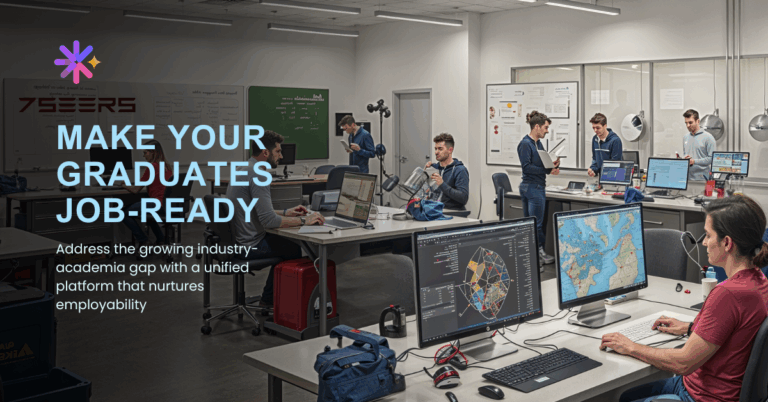
7Seers is designed around student job readiness and career preparation.
Students can use the platform to work on areas including:
- Technical capability
- Communication readiness
- Interview confidence
- Career alignment
- Industry preparedness
It can also support students through:
- AI mock interviews
- Skill assessments
- Resume building
- Job opportunities
- Personalized learning paths
This makes 7Seers different from a general AI productivity tool.
The objective isn’t simply to help students finish their next assignment.
It’s to help them answer:
“What skills do I need to improve before I enter the job market?”
Best for: Career preparation, campus placements, job readiness, skill assessment, and AI mock interviews.
Best AI Tools for College Students: Quick Comparison
| AI Tool | Best For | Use Case |
| ChatGPT | General learning | Concepts, brainstorming, study |
| Google Gemini | Productivity | Research, writing, learning |
| Perplexity | Research | Information discovery |
| NotebookLM | Studying | Notes, PDFs, revision |
| Canva AI | Presentations | Slides and visual content |
| Grammarly | Writing | Grammar and communication |
| GitHub Copilot | Coding | Programming and projects |
| Notion AI | Productivity | Notes and organization |
| Claude | Analysis | Writing and complex explanations |
| 7Seers | Career readiness | Skills, interviews and placements |
Which AI Tool Should a College Student Use?
There isn’t one AI tool that’s perfect for every student.
The best tool depends on what you’re trying to accomplish.
For studying: ChatGPT, Gemini, NotebookLM
For research: Perplexity
For writing: ChatGPT, Claude, Grammarly
For presentations: Canva AI
For coding: GitHub Copilot
For productivity: Notion AI
For exam preparation: NotebookLM and ChatGPT
For interview preparation: 7Seers
For job readiness: 7Seers
How Should Students Use AI Without Becoming Dependent on It?
This is perhaps the most important question.
AI can make many tasks faster.
But faster doesn’t always mean better learning.
Instead of:
Ask → Copy → Submit
try:
Ask → Understand → Practice → Verify → Apply
For example, if you’re learning Python, don’t ask AI to build your entire project.
Ask it to:
- Explain the concept.
- Give you a problem.
- Review your solution.
- Identify your mistakes.
- Give you another problem.
- Help you improve.
Now you’re using AI to build a skill.
That’s the difference between AI-assisted learning and AI-dependent learning.
AI Tools Can Help You Learn. But Are You Job-Ready?
This is where many students need to change their approach.
You can use AI to learn Python and still struggle with a coding interview.
You can use AI to improve your English and still struggle to communicate during an interview.
You can create an impressive AI-generated resume and still be unable to explain the projects listed on it.
You can use AI to prepare for an interview and still struggle when an interviewer asks an unexpected question.
So the real question isn’t:
“How many AI tools am I using?”
It’s:
“Am I becoming more capable because I’m using them?”
That’s why career-readiness tools such as 7Seers can complement general-purpose AI tools.
Students can identify skill gaps, practice interviews, assess their readiness, work on their resumes, and follow personalized learning paths.
How AI Can Change Student Career Preparation
A traditional student journey might look like:
Attend classes → Complete assignments → Create resume → Apply for jobs → Attend interviews
An AI-powered approach can look different:
Learn → Practice → Assess → Identify gaps → Improve → Build resume → Practice interviews → Apply
That creates a continuous feedback loop.
And that’s particularly important when students are preparing for campus placements.
A resume is only one part of the equation.
The real objective is to build a candidate who can demonstrate the skills written on that resume.
Final Takeaway: Don’t Just Use AI. Use It to Become Better.
The best AI tools for college students in 2026 aren’t necessarily the tools that can do the most work.
They’re the tools that help students:
Learn faster.
Practice more.
Think better.
Create more.
Measure their skills.
Prepare for real-world opportunities.
AI isn’t going away.
The question for students isn’t whether they should use AI.
It’s how they use it.
Don’t use AI simply to get through college.
Use AI to prepare for what comes after college.
Ready to move from AI-assisted learning to career readiness?
Measure your skills. Identify your gaps. Practice your interviews. Build your career readiness with 7Seers.